 PrettyTv
Catch-up in the TV guide
Go back and play programmes that have already aired, on channels where your provider keeps an archive.
Samsung · LG · Windows · Android · AppleA fast player for your own TV playlists and your Plex server. A real TV guide, sport on the channels you already have, films and series with posters, and a remote-first design that feels like television.
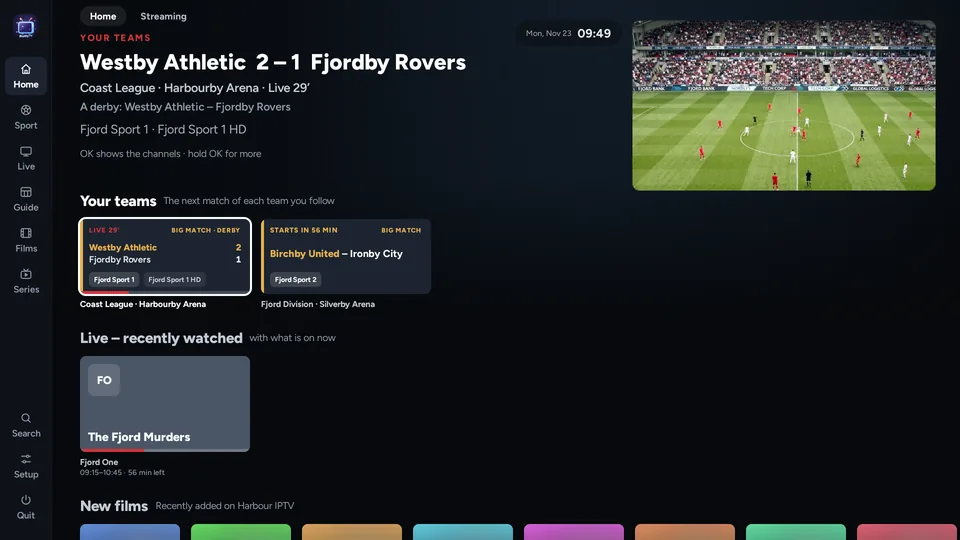
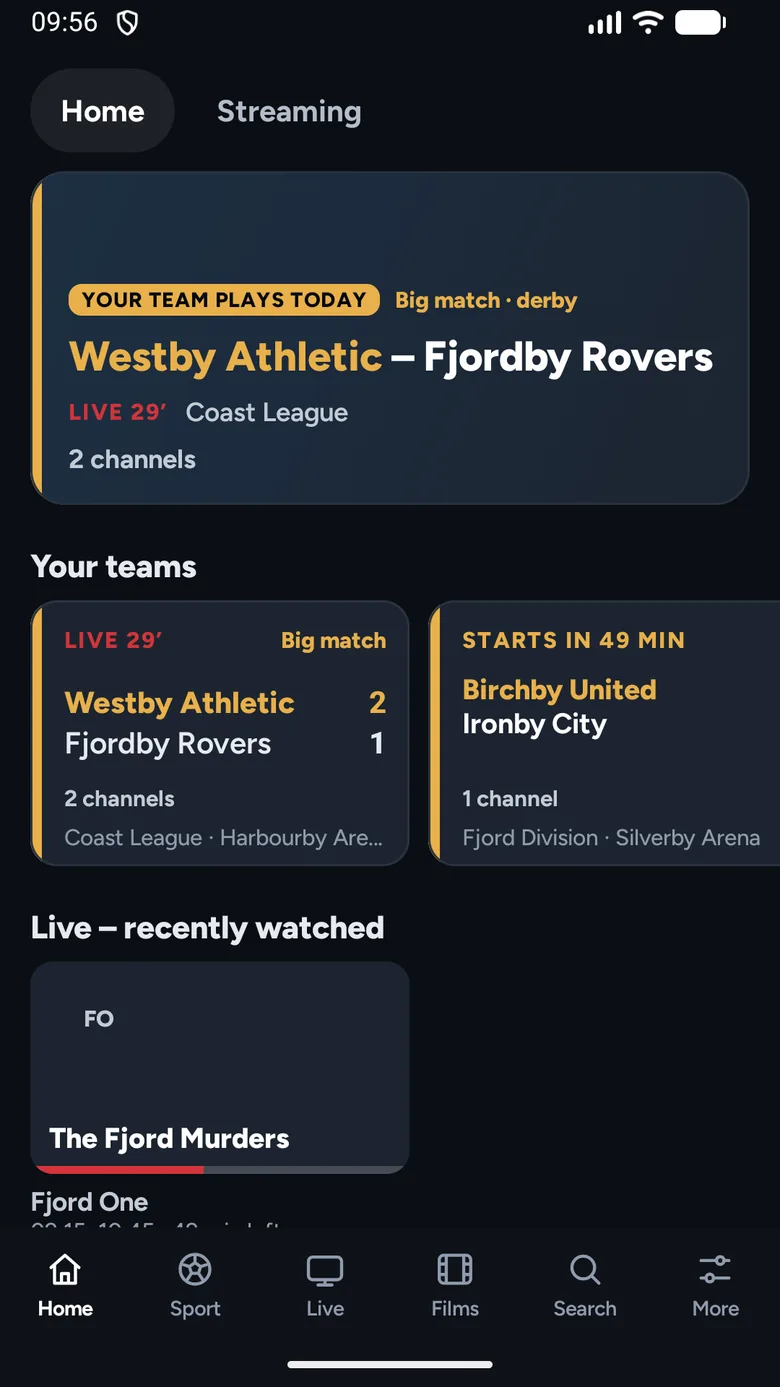
Shown with PrettyTv’s built-in demo channels. All channel, team, film and programme names are made up.
PrettyTv is only a player and comes with no channels. We don’t provide, sell, link to or recommend any TV channels, films, series, playlists, providers or subscriptions. You add your own playlist from a provider you choose, and you’re responsible for having the right to watch it. Read the disclaimer
No accounts, no analytics, no ads, no tracking. Your logins and playlists are encrypted and stay on your device; they’re never sent to us. Read the privacy policy
The highlights from the last month of updates. Scroll the guide sideways; the newest is on the right, under the now-line.
Go back and play programmes that have already aired, on channels where your provider keeps an archive.
Samsung · LG · Windows · Android · AppleFollow teams and their next match sits at the top of Home from the day before, live while it’s on. Pin channel groups to Home or Sport and move rows where you want them.
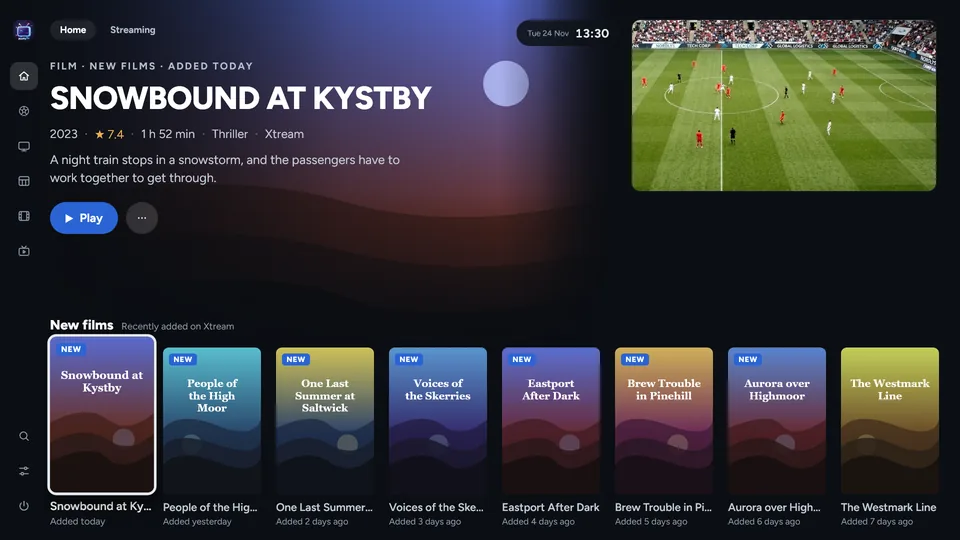
All platformsThe artwork fills the top of the screen. Films and Series open as a library with Recommended, My list, Recently added and a source filter.
TVYour server’s own rows on Home, trailers, editions, cast and See also, theme music on series pages, and a choice of direct play or transcoding.
TV and phoneBasketball, American football, baseball and ice hockey join football, motorsport, winter sport, golf and tennis. Plus group tables in the Nations League and live tables for the European cups.
All platformsGlans and Scene are the first skins that change shapes as well as colours. Northern Lights, Retro, Halloween and Christmas get their own scenery behind Home.
All platformsChoose MPEG-TS or HLS for live channels and how much to buffer. If a channel stops three times in ten minutes, the app suggests the other format.
All platformsPay once and keep Premium for good, next to the monthly and yearly plans.
Google Play · App Store · Microsoft StoreSwipe for volume and brightness, hold a title for its menu, and a card offers the next episode when one ends.
Android · iPhone · phone browserThe first start on a TV offers to fetch the setup from your phone. LG TVs can now be controlled from the phone too, and search shows each title once even when it’s in several sources.
Android TV · Apple TV · Samsung · LGWritten from scratch for the remote, so the guide, the channel list and the player feel instant, even on a 2018 TV.
Continue watching, Series you follow, the channels you watch at this time of day, and new films and series from every source. A Streaming tab shows what’s new on the streaming services.
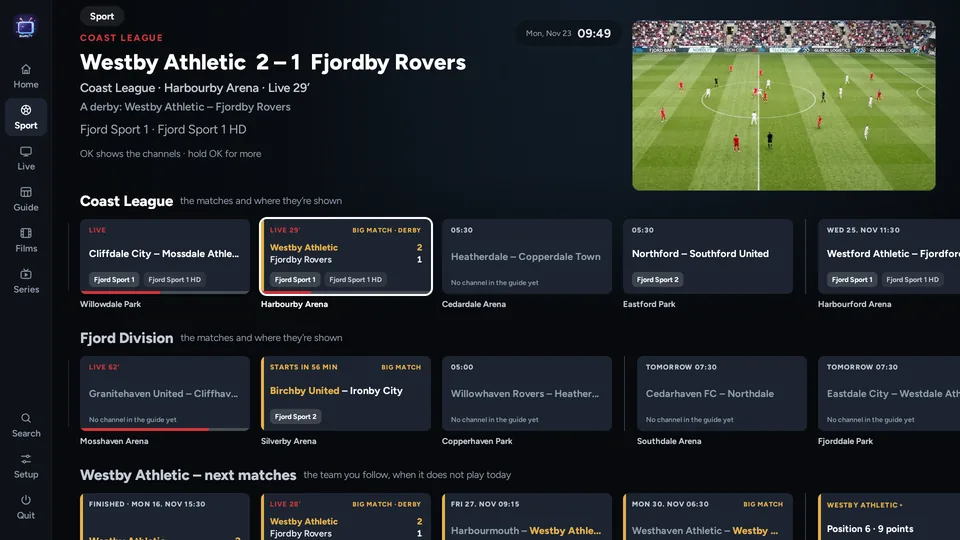
Sport has its own place in the side menu: today’s matches with the channels in your playlist that show them, best first. Reminders at kick-off and goal alerts while you watch.
The round’s scores and the table as it stands right now, with Delay live data to keep it in step with your stream. Part of Premium, on TVs.
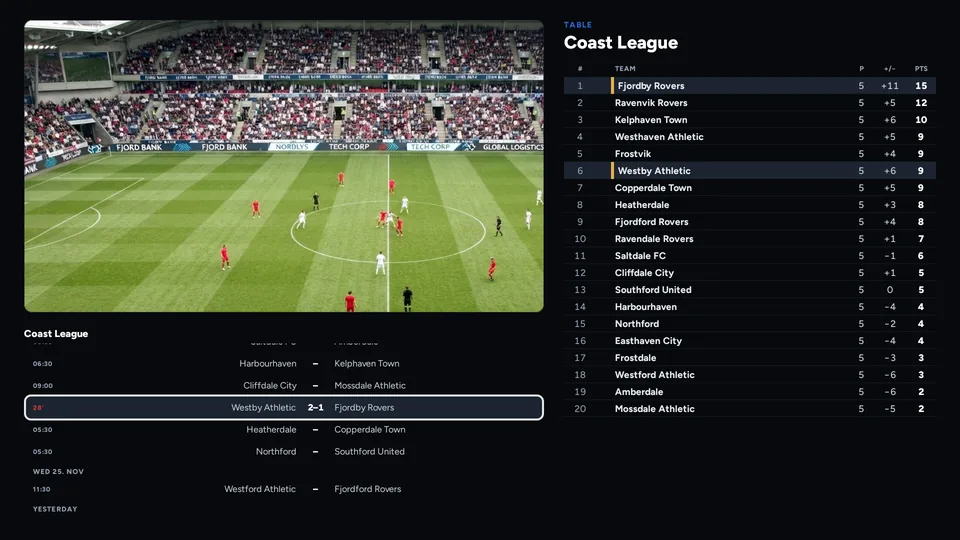
Leagues and cups in your order, with the channels for each match on the card. Tables, results, and a spoiler guard if you watch later.
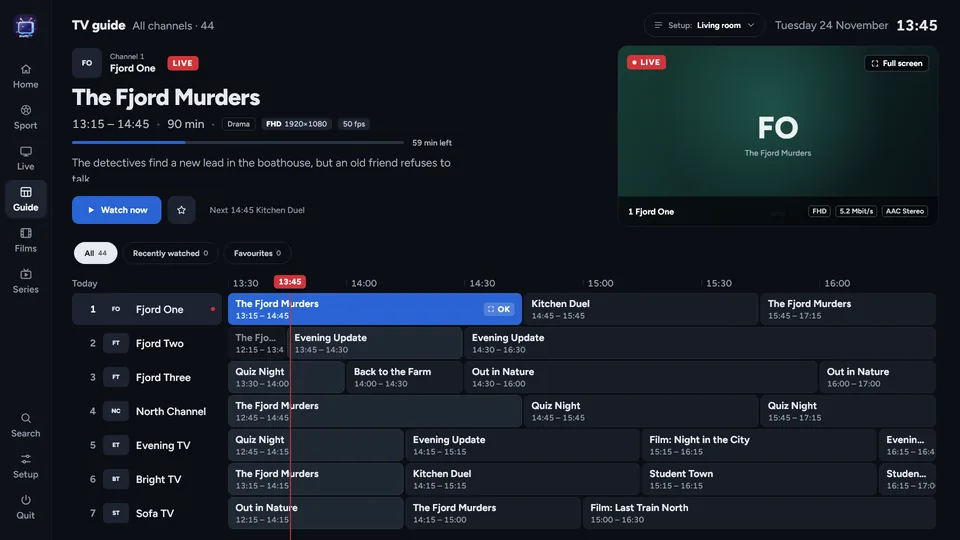
Live preview, group tabs, a now-line, ±12-hour jumps and reminders. Play past programmes on channels with an archive. Several XMLTV guides, also .xml.gz.
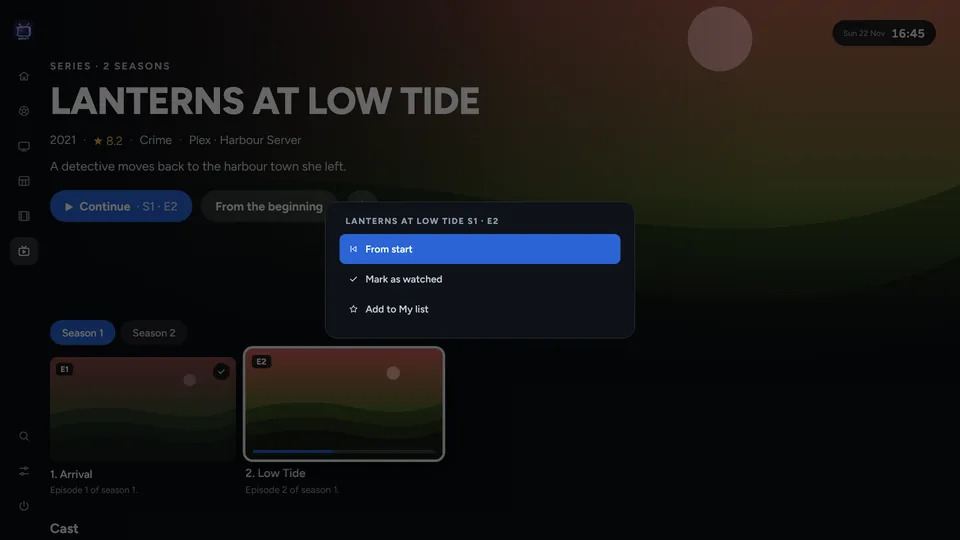
Sign in at plex.tv/link. Progress, Watchlist and Mark as watched stay in sync with the server. Trailers, cast and theme music included.
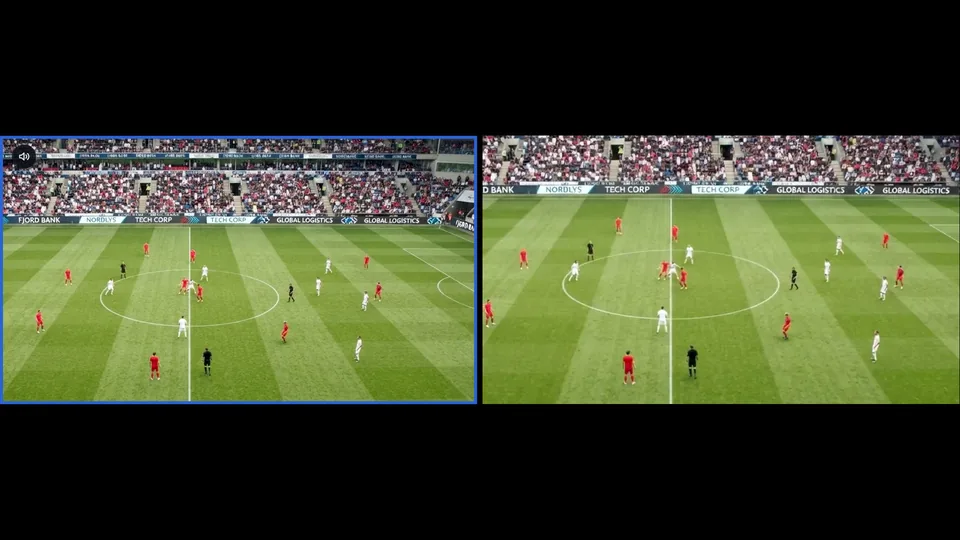
Hold OK on a channel and choose Watch with. Side by side or big and small, with the sound on the tile you choose. On Apple TV 4K, iPhone and iPad, and on Android TV or Google TV boxes that can decode two streams.
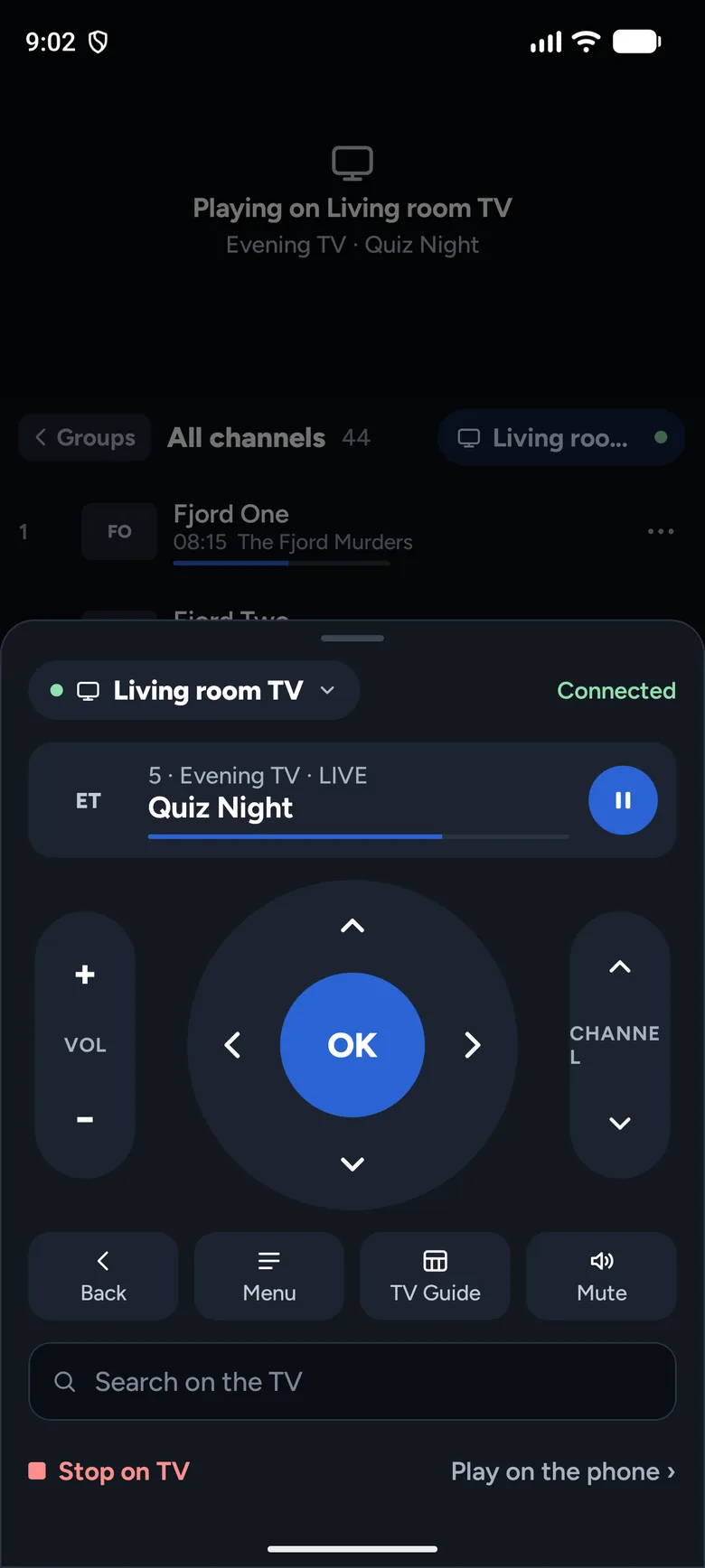
Pair once with a code. The phone shows what the TV plays, sends channels, films and episodes to it, and moves setups and groups across. Encrypted on your home network, with no server and no account. Android TV, Google TV, Samsung and LG.
Change the skin, text size, font, row spacing and list widths, trim the info bar, and calibrate the screen edge for your TV. Pick a skin here and this whole site wears it.
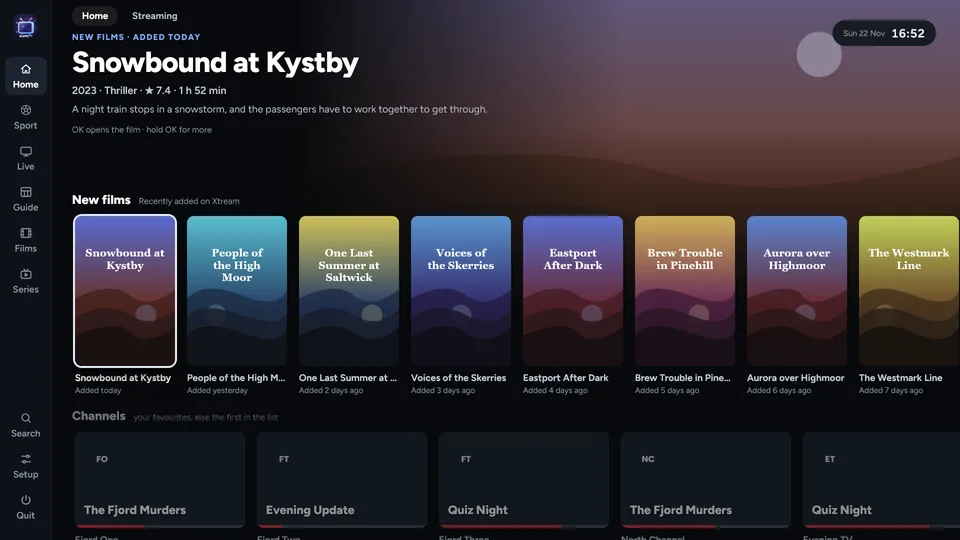
This page is wearing Midnight.
M3U, Xtream and Plex side by side, each with its own name. Switch one off with a long press; favourites and groups stay.
Channels and guide are cached and up in a fraction of a second. Lists are only rebuilt when something changed.
Groups like Football and News, your own channel numbers, and groups pinned to Home or Sport.
One PIN locks groups, films and series, parts of search, and protects setups, settings, backup and purchases. The same PIN on every device.
Posters, plots, seasons and episodes, Continue watching, and the next episode starts by itself.
Channels, programmes, films and series, each title shown once. Voice search on Android TV.
Default languages with a fallback, subtitle size and background, remembered per film and series.
The channel list remembers resolution and frame rate, like FHD · 50p, and the info bar shows codecs and bitrate.
A reminder before a programme or kick-off, and a goal alert with your choice of sound and volume.
15 to 90 minutes, or when the programme ends. A minute before, it asks if you want 30 more.
Arrows, OK and Back do everything. Number keys, 0 for the previous channel, Try again or Next channel when one fails.
Dreambox, Vu+, Octagon, Gigablue, Tvheadend or HDHomeRun: their M3U link works like any other.
Send favourites, groups and PIN locks across your home network with a six-digit code, or to a file.
From English and Norwegian to Japanese, Korean, Chinese and Hindi. Starts in your device’s language.
Xtream archives and M3U catch-up play straight from the guide.
Logins stay encrypted on the device: Keystore, DPAPI or a WebCrypto key. No accounts, no tracking.
The same design and the same guide on your TV, your phone and your computer.


From your TV’s, phone’s or computer’s app store. Not ready to set up? Start with the demo channels.
Paste the M3U link from your Enigma2 receiver, home server or TV service, enter an Xtream Codes login, or sign in to Plex. On a TV, you can do it all from your phone instead.
Pick your leagues, teams and countries. Channels appear right away; films, series and the guide fill in while you watch.
No. PrettyTv is only a player. It contains no channels, films, series or playlists, and we don’t sell or recommend any. You add a playlist (M3U) or an Xtream Codes login from a source you choose yourself: your own receiver or the TV service you use. The only built-in content is a set of made-up demo channels that show how the app works.
From your own receiver, or from the TV service you use. A satellite or cable receiver running Enigma2 (Dreambox, Vu+, Octagon, Gigablue and others) gives you an M3U link in its web interface (OpenWebif). Other receivers and home servers that offer an M3U playlist, such as Tvheadend or HDHomeRun, work the same way. Many TV services also give their customers an M3U link or an Xtream Codes login. We have no relationship with any of them and can’t help you find one.
Please only use content you have the right to watch.
Playlists in M3U/M3U8, Xtream Codes logins and your own Plex Media Server, TV guides in XMLTV (also .xml.gz) or straight from Xtream. Streams in HLS and MPEG-TS work on every platform; other formats depend on the device’s own player.
PrettyTv shows match times, tables, results and live scores for the leagues and teams you follow: football leagues and cups across Europe, the NFL, NBA, MLB and NHL, motorsport, winter sport, golf and tennis. It finds each match in your own TV guide, so you see which of your channels show it. PrettyTv has no channels or streams of its own: what you can watch depends entirely on your playlist.
To get the match data, the app asks PrettyTv’s server for the fixtures and tables of the leagues you follow. The request names only the league or team: no account, no name, no viewing history.
Yes, when your provider keeps an archive for the channel (Xtream tv_archive or M3U catch-up). Past programmes in the guide can then be played.
Two settings under Settings → Player → Advanced help with most of it (on a phone in the web version: More → Playback). Stream format chooses whether live channels from an Xtream login play as MPEG-TS (.ts) or HLS (.m3u8): if channels stop after a while or won’t start, try the other one. Buffer chooses how much a live channel holds back: Large or Extra large rides out an uneven connection, Small switches channels faster.
Which format works best depends on your provider and your device. If the app says your provider has no HLS, its channels play as .ts whatever you choose. Device by device.
Your server address, username, password and playlist links are stored encrypted on your device (Android Keystore, Windows DPAPI, or a non-exportable WebCrypto key on TVs). They’re only ever sent to the server you entered. We never see them.
Yes. Choose Plex in the wizard and enter the code the TV shows at plex.tv/link. The films and series on your own Plex Media Server then appear next to your channels, and your progress, Watchlist and Mark as watched are kept in sync with the server. The app talks directly to plex.tv and your server; nothing passes through us. PrettyTv is not affiliated with Plex.
Yes, with PrettyTv on an Android phone and PrettyTv on Android TV, Google TV, a Samsung or an LG TV. Pair them once (both screens show the same code). Then the phone shows what the TV plays and works as a remote, and Send to TV plays a channel, film or episode on the TV. You can also send your setups and groups. There is no server and no account: the phone and the TV talk directly over your home network, encrypted.
Yes, on Apple TV 4K, iPhone and iPad (models with 3 GB of memory or more), and on Android TV or Google TV boxes that can decode two channels. Hold OK on a channel (on iPhone and iPad, press and hold it) and choose Watch with …. Two channels use two streams, so your playlist has to allow two at once; the app tells you when it allows only one. Multiview is part of Premium and open during the 7-day trial.
The price is set in each app store and shown in the app before you buy: monthly, yearly or Lifetime. The app is free to install and fully open for 7 days. After that, playback in the Google Play, App Store and Microsoft Store versions needs Premium. The demo channels are always free, and so are the Samsung and LG TV apps for now. See Premium.
In the store you bought it from: Google Play, the App Store (on iPhone or iPad: Settings → your name → Subscriptions), or the Microsoft Store (Windows Settings → Accounts → Services & subscriptions, or account.microsoft.com/services). Cancelling takes effect at the end of the period you’ve paid for. Step-by-step guide.
No. There are no accounts, no analytics, no ads and no tracking. Your logins, playlists and settings stay on your device. Read the Privacy Policy.
23 languages: English, Norwegian, Swedish, Danish, French, Spanish, Italian, German, Dutch, Polish, Portuguese, Romanian, Turkish, Russian, Ukrainian, Greek, Finnish, Czech, Hungarian, Japanese, Korean, Chinese (simplified) and Hindi. It starts in your device’s language when it can.
We read every e-mail and usually answer within a few days.